On this page
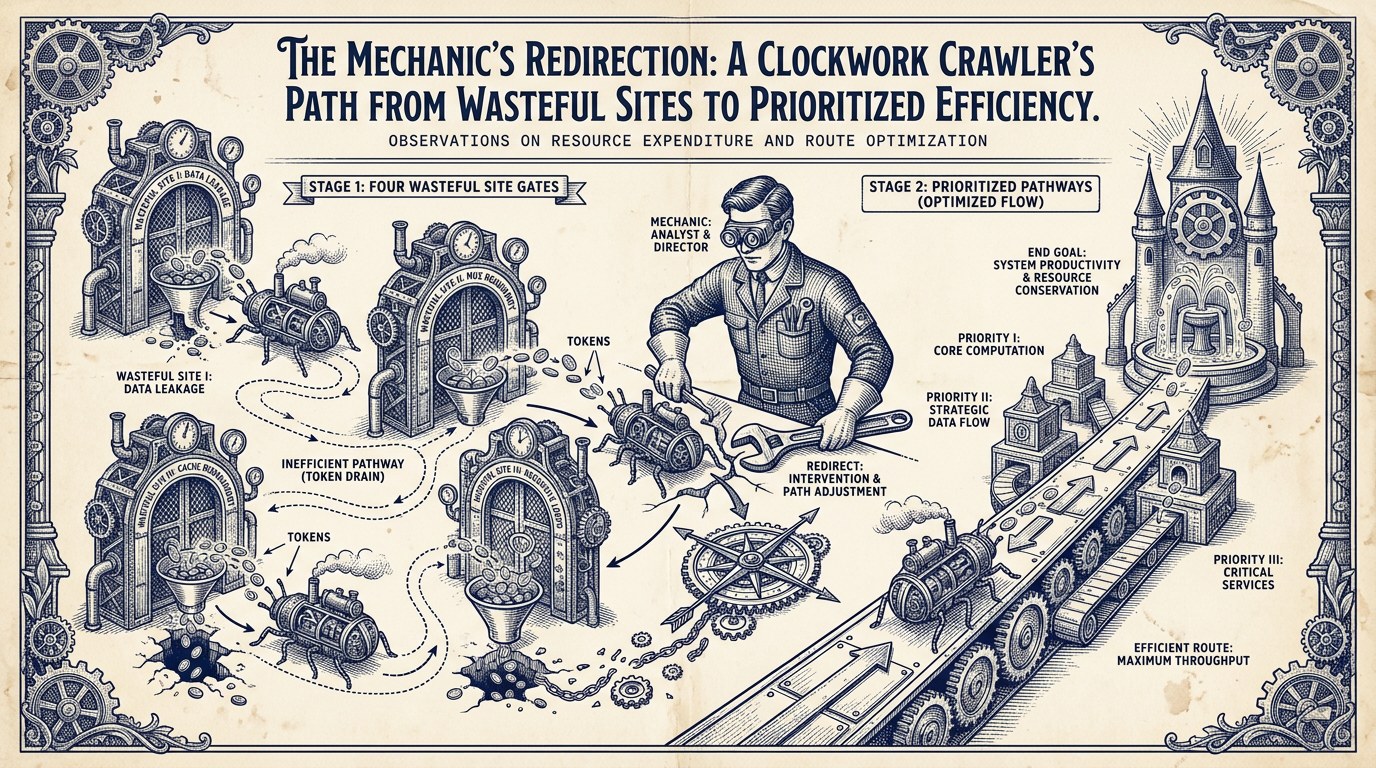
Crawl budget is the amount of attention Google spends on your site each day. For most sites under 10,000 pages, this never matters. Google crawls everything that needs crawling. For B2B SaaS sites with multi-tenant subdomains, filtered content, staging environments, and API endpoints rendered as pages, crawl budget becomes a real bottleneck. Google spends attention on URLs that produce no SEO value, and the priority commercial pages get crawled less often than they should.
This post covers the four B2B SaaS architectures that waste crawl budget, the fixes that work for each, and the rule that tells you whether crawl budget matters for your program at all. The diagnostic side of this work lives in the log file analysis playbook. This post is the corrective action layer.
01What crawl budget is and when it actually matters for B2B SaaS
Crawl budget is the number of URLs Google is willing to crawl on your site over a given time window. For most sites, the limit is large enough that nothing important gets missed. For B2B SaaS sites with specific architectural patterns, the limit becomes a real constraint. This chapter covers the working definition, the official Google guidance on when it matters, and the threshold below which most B2B SaaS programs should not worry about it.
What crawl budget actually is
Crawl budget is the product of two things Google manages internally. Crawl capacity is how many requests Google can make to your site before hurting performance. Crawl demand is how much Google wants to crawl your site based on freshness, link signals, and indexing priority. The two combine into an effective limit. For a small site, that limit is irrelevant because Google can crawl everything. For a large or wasteful site, that limit becomes a bottleneck.
The implementation operates within the broader technical SEO sub-pillar for B2B SaaS programs at the discipline level and connects to the complete B2B SaaS SEO playbook at the pillar level. The diagnostic discipline lives in the log file analysis operator playbook for B2B SaaS programs, the sibling to this post.
The one-million-page rule
Google's own published guidance is straightforward. For sites under 1 million pages, crawl budget is rarely a concern. John Mueller and Gary Illyes have both stated this repeatedly. Most B2B SaaS marketing sites sit well under 1 million pages, so the public-facing site itself rarely hits a wall. The exception is when the architecture produces effective URL counts that look much larger than the actual page count.
A marketing site with 500 blog posts plus 50 product pages plus 30 customer stories has 580 real pages. The same site with faceted blog category filters, customer-specific subdomains, and staging environments leaking into the index can produce 20,000 to 200,000 effective URLs that Google attempts to crawl. The architecture multiplied the surface area without adding real content. That is where crawl budget becomes a real problem.
When crawl budget matters for B2B SaaS sites
Three conditions push a B2B SaaS site into the crawl budget zone. First, multi-tenant architecture where customer subdomains are accessible to Google. Second, programmatic SEO templates that produce thousands of pages from a small set of underlying records. Third, dynamic filtering and faceted navigation that creates new URLs for every filter combination. Programs with any of these three patterns benefit from crawl budget audits. Programs without them rarely do.
If your site is under 10,000 effective URLs, your log analysis shows Google crawling priority commercial pages on a healthy weekly cadence, and your indexing reports in Search Console show coverage in line with expectations, crawl budget is not your problem. Spend the engineering time on other technical SEO work. The discipline is knowing when not to optimize.
02Diagnosing crawl waste through log analysis
Crawl budget problems are invisible without log analysis. Crawl emulators show what could be crawled. Logs show what Google did crawl. The diagnostic step before any fix is running a 30-day log analysis and looking for the specific patterns this section covers. Programs that ship crawl budget fixes without diagnostic logs guess at the problem and often ship rules that overblock priority content.
What log analysis surfaces
Log analysis produces three signals that drive crawl budget decisions. First, the actual crawl frequency by URL template: which templates Google hits often, which it hits rarely, which it ignores. Second, the status code distribution by template: which URLs return 200, which return 404 or 410, which return server errors. Third, the share of crawl spent on each template: what percentage of Google's daily attention goes to priority commercial pages versus parameter URLs, staging, or low-value templates.
Healthy B2B SaaS sites concentrate Googlebot activity on commercial templates (pricing, product pages, customer stories, integrations) at 30 to 60 percent of total crawl. The blog typically takes 20 to 40 percent. The remaining 10 to 30 percent covers utility pages and templates with smaller surface area. Programs where Googlebot spends more than 25 percent of crawl on URLs that produce no SEO value have a crawl budget problem worth fixing.
Reading the signal: where Googlebot's attention goes
After running the 30-day log analysis, the next step is segmentation. Group every Googlebot request by URL pattern. Count the requests per pattern. Sort by request count. The output is a frequency table that tells you where Google's attention is going. Compare that against your priority commercial pages: are they being crawled regularly? If yes, the program is healthy and crawl budget intervention is unnecessary.
If the frequency table shows Googlebot spending significant attention on staging subdomains, parameter combinations, customer-specific URLs, or API endpoints, the diagnostic is complete. The next chapters cover the four architectures that produce these patterns and the specific fixes for each. The full diagnostic methodology lives in the AI Search mechanism reference for B2B SaaS programs for the AI crawler dimension and the log file analysis playbook for the traditional Googlebot dimension.
03The four B2B SaaS architectures that produce crawl budget problems
Four architectural patterns produce most crawl budget problems in B2B SaaS sites. Each has a distinct cause and a distinct fix. Programs that recognize their pattern can ship the right correction in days. Programs that ship generic rules without knowing which pattern they have often make the problem worse.
Architecture 1: multi-tenant subdomain crawl
B2B SaaS sites that host customer-specific subdomains (customer-acme.app.example.com, tenant-globex.example.com) often see Google crawl those subdomains when customer marketing, share-from-product features, or internal team activity creates external backlinks. The waste pattern: Google spends crawl budget on URLs that resolve to authenticated application surfaces. These pages produce no SEO value because Google sees only login screens or error states.
The fix is platform-level blocking. Configure the customer subdomain hosting layer to return X-Robots-Tag: noindex headers for all verified bot traffic, or use a CDN rule at Cloudflare or Fastly that returns 403 to verified Googlebot on tenant subdomains. Engineering coordination is required because the implementation touches the customer app architecture rather than the marketing site. This is the fix that recovers the most crawl budget for most multi-tenant B2B SaaS programs.
Architecture 2: parameter explosion from filters
Blog category filters, integration directory filters, customer logo filters, and faceted search produce parameter combinations that multiply quickly. A blog with 5 categories and 10 tags can produce up to 50 unique URL variants from the filter combinations alone. Most of these variants offer the same content as the base unfiltered page, just sorted or filtered differently. Google crawls each variant, finds duplicate or near-duplicate content, and the crawl budget goes to URLs that produce no ranking value.
The fix is canonical tags pointing every filter URL to the base unfiltered page. The canonical tag tells Google which version to index and consolidate signals to. For filter URLs that serve no user purpose at all (deeply nested combinations no one navigates to), the fix can also include nofollow on the internal links that produce them. The pattern is documented in Google's faceted navigation guidance.
Architecture 3: staging environment leakage
Vercel, Netlify, and similar deployment platforms auto-create preview URLs for every branch. Marketing teams share preview links during reviews. Customer success teams share preview links in support tickets. The result: external backlinks to staging URLs, which Google then crawls. Staging sites typically mirror production content, so Google crawls duplicate URLs and wastes budget on environments that should never be indexed.
The fix is platform-level configuration. Set X-Robots-Tag: noindex headers on the staging hosting layer so any future external links cannot cause indexation. For staging URLs already in the index, submit them for removal through Search Console and add password protection to prevent future leakage. The systemic fix at the platform level is more reliable than relying on team discipline because preview environments are created continuously.
Architecture 4: API endpoints rendered as pages
Single-page applications and React-Router-style sites often return HTTP 200 status codes for routes that the application then renders as 404 client-side. Google sees the 200 status and indexes the URL despite the empty content. The pattern produces "soft 404s" that consume crawl budget on URLs with no content value. This is common in B2B SaaS sites with developer-facing API documentation routes or customer-specific application paths exposed on the marketing domain.
The fix is configuring the application to return HTTP 410 (Gone) or proper 404 status codes for invalid routes rather than the 200-with-empty-shell pattern. The fix typically requires engineering implementation because it touches the routing layer. For programs that cannot ship the routing fix immediately, a CDN rule that intercepts known API path patterns and returns 410 to verified bots can serve as temporary mitigation. If you want to walk through which of these four architectures is hitting your site specifically, book a 30-minute crawl budget audit with our team.
04Robots.txt rules that work for B2B SaaS sites
Robots.txt is the most misunderstood tool in the crawl budget toolkit. Programs reach for it first because it feels powerful: a single file controls what Google can crawl. The catch is that robots.txt only controls crawling, not indexation. Pages blocked in robots.txt can still appear in search results if Google discovers them through external links.
Subdomain-level robots.txt blocking
Subdomain-level blocking is the strongest robots.txt use case for B2B SaaS. Each subdomain can have its own robots.txt file at the root. For the staging and customer subdomains covered in Chapter 03, a robots.txt file at staging.example.com/robots.txt with User-agent: * and Disallow: / blocks all crawler access to that subdomain. The fix scales to every subdomain spun up under the same configuration template.
The advantage of subdomain-level blocking is simplicity. One file per subdomain. No engineering work beyond setting up the configuration template. The limitation is that subdomain blocking does not retroactively remove URLs already indexed. For those, you need Search Console removal requests in addition.
Pattern-based crawl rules
Pattern-based rules at the main domain block specific URL templates from being crawled. A common B2B SaaS pattern is blocking parameter-laden URLs from the blog. The rule Disallow: /blog/*? blocks every URL under the blog that includes a query parameter. Variations like Disallow: /*?utm_ block UTM-tagged URLs that scrapers and share buttons create. Each pattern needs to be tested against actual production logs to verify it does not overblock priority pages.
The discipline is testing every robots.txt change against actual log data before shipping. Programs that ship robots.txt changes based on assumptions often discover they blocked pages that needed to be crawled. The 60-day re-monitoring window covered in Chapter 07 catches these errors. Better to test before shipping.
What robots.txt cannot do
Robots.txt cannot prevent indexation. Pages blocked in robots.txt can still appear in search results, typically with a "no description available" snippet, if Google discovers them through external links. This is the most common robots.txt mistake. Programs block pages they want removed from the index, but the pages remain in the index because Google has the URL even without crawling it.
For indexation control, the right tool is the noindex meta tag or the X-Robots-Tag header. These tell Google not to index the page after crawling it. The page must be crawlable for the noindex signal to be read. Programs that combine robots.txt blocks with noindex tags often defeat their own intent: the robots.txt block prevents Google from reading the noindex tag, and the page stays indexed indefinitely. Pick one tool per URL based on what you actually want.
05Canonical tags, noindex, and the indexation control toolkit
The indexation control toolkit has three primary tools beyond robots.txt: canonical tags, noindex meta tags, and HTTP status codes. Each handles a different scenario. The discipline is matching the right tool to each URL pattern.
Canonical tags for parameter consolidation
Canonical tags work best for parameter consolidation. When many URLs serve the same or near-identical content, the canonical tag tells Google which version to treat as the authoritative one. The canonical hint consolidates ranking signals (links, traffic, engagement) to the canonical URL and reduces crawl waste on duplicate variants.
The catch is that Google treats canonical tags as a hint, not a directive. Pages that differ meaningfully but share a canonical tag get crawled regardless. The hint is honored when the pages are near-identical. A blog post with two URL variants (one with category filter, one without) where both render the same content gets the canonical honored consistently. A product page and a customer page that share a canonical tag because they cover similar topics will get crawled separately and indexed separately. The hint is rejected when the pages are too different.
Noindex for low-value templates
Noindex meta tags or X-Robots-Tag headers remove a page from the index after Google has crawled it. The page can still be crawled and the noindex signal read, but the URL is removed from search results. Noindex is the right tool when the page has value for users (so you do not want to return 404) but should not appear in search (because it offers no ranking value or competes with a similar page that should rank instead).
Common B2B SaaS noindex use cases: thank-you pages after form submissions, internal search result pages, author archive pages on the blog that fragment content, tag pages on the blog beyond the primary category structure. Each of these pages serves users when reached through internal links but has no value in search results.
When to use 410 versus 404
For pages that should not exist at all, the choice is between 404 (Not Found) and 410 (Gone). The two look similar but signal different things to Google. 404 says "this URL might exist later." 410 says "this URL is permanently gone." Google treats 410 as a stronger signal and removes the URL from the crawl queue faster than 404.
For the soft-404 architecture covered in Chapter 03 (API endpoints returning 200 with empty content), the right fix is returning proper 410 codes for those endpoints. Google removes them from the crawl queue quickly and stops wasting crawl budget on them. For pages that are legitimately deleted but might come back, 404 is appropriate. The default for most B2B SaaS crawl budget cleanup is 410, because the goal is permanent removal.
06Internal linking and sitemap strategy for crawl priority
Internal linking is the strongest signal you control over crawl priority. Robots.txt and noindex are blocking tools. Internal linking and sitemaps are signaling tools. Programs that fix crawl budget by only blocking miss the larger win: redirecting Google's attention toward the priority pages that should be crawled more often.
Internal linking that signals priority
Google's crawl decisions weight internal links heavily. A page with 50 internal links from across the site gets crawled at 5 to 12 times the rate of a page with 2 internal links. The math is simple: pages that look important based on internal linking get more crawl attention. The fastest way to redirect crawl budget toward priority commercial pages is improving their internal linking, not just blocking other pages.
For B2B SaaS sites, the priority commercial pages typically include pricing, customer stories, integrations, product pages, and high-intent comparison pages. Audit how many internal links each receives. Pages with under 10 internal links from across the site are likely under-linked. The fix is adding contextual links from related blog posts and other content pages where the reference is natural.
XML sitemap discipline
The XML sitemap is the explicit list of URLs you want Google to crawl. Most B2B SaaS sitemaps include too much. The discipline is including only pages that should appear in search results: priority commercial pages, blog posts, customer stories, and product pages. Exclude utility pages, parameter variants, paginated archives, and pages with low SEO value.
A clean sitemap with 500 high-priority URLs produces better crawl signals than a bloated sitemap with 50,000 URLs that includes every parameter variant. Google uses sitemap composition as a signal of what you consider important. Programs that include everything in the sitemap dilute that signal. Submit the cleaned sitemap to Search Console and verify the indexed-versus-submitted ratio over the next 30 days.
Removing pages from the sitemap
For pages that exist but should not be crawled often, removing them from the sitemap is a soft signal that reduces crawl frequency without blocking access. Internal team utility pages, year-old blog posts marked for refresh, and pages with seasonal commercial intent that is currently dormant are good candidates. The pages remain accessible to users and to direct backlinks. They just no longer receive the sitemap signal that says "Google, prioritize this for crawling."
The pattern integrates with the broader B2B SaaS SEO measurement framework that operates on the same quarterly cadence and feeds the quarterly technical SEO review covered in the technical SEO discipline reference at the sub-pillar level.
07Measuring whether the fixes worked
Crawl budget fixes need verification. Shipping a robots.txt change, canonical update, or sitemap cleanup without measuring the effect is how programs ship rules that overblock priority content or fail to recover the intended crawl budget. The verification discipline runs on a 60-day cycle with two checkpoints: 30 days and 60 days post-fix.
Re-running log analysis at 30 and 60 days
The first checkpoint is 30 days after shipping the fix. Re-run the log analysis with the same parsing and segmentation as the baseline. Compare the crawl distribution before and after. The expected pattern: blocked or canonicalized URLs receive significantly less crawl, and the recovered budget shifts toward priority commercial pages. If the pattern does not show within 30 days, the fix may not have taken effect, or the architectural cause may be different than initially diagnosed.
The second checkpoint at 60 days confirms the pattern is stable. Some Google crawl pattern changes take longer than 30 days to stabilize, particularly when the fix involves canonical tags (which Google takes time to honor) or when the URLs were heavily linked externally. Programs that declare victory at 7 days catch noise. Programs that wait 60 days see the actual crawl pattern change.
Search Console crawl stats validation
Beyond log analysis, Search Console's Crawl Stats report provides a second validation layer. The report shows total Googlebot requests, average response time, and the distribution of crawls by response code and file type. After a crawl budget fix, the expected pattern in Crawl Stats: stable or rising total request count (Google is not crawling less, just differently), improved response time (less time on heavy URLs), and a healthier response code distribution (fewer 404s, fewer redirects).
If Crawl Stats shows declining total request count, the fix may have overblocked. The recovery is rolling back the most aggressive rules until the request count stabilizes and then iterating more carefully. Search Console data lags by 2 to 4 days, so combine it with the log analysis for real-time signal.
08Common failures and the one-million-page rule
Three failure patterns account for most underperforming crawl budget programs. Each one has a specific corrective discipline. The chapter also addresses the recurring question of when crawl budget actually matters, because programs that invest in crawl budget work without needing to are spending engineering time that produces no return.
Failure 1: blocking pages that need to be canonicalized
The most common crawl budget failure is using robots.txt to block parameter URLs that should be canonicalized instead. The block prevents Google from crawling the URL, which prevents Google from reading the canonical tag, which means the URL stays in the index indefinitely as an orphan. The fix is removing the robots.txt block and letting canonical tags do the consolidation work. Google crawls less over time as the canonical hints are honored, and the URLs eventually drop from the index.
Failure 2: assuming crawl budget matters at every scale
The second failure is investing in crawl budget work when the site does not need it. Google's published guidance is explicit. Under 1 million pages, crawl budget is rarely a problem. For B2B SaaS sites with clean architecture and under 10,000 effective URLs, crawl budget audits produce no measurable ranking improvement. The investment goes elsewhere. Run the diagnostic first. If log analysis shows healthy crawl distribution toward priority commercial pages, the program is fine.
Failure 3: shipping fixes without re-monitoring
The third failure is shipping crawl budget fixes and not re-monitoring at 30 and 60 days. Programs assume the fix worked and move on. When the fix actually produces unintended overblocking or fails to take effect, the symptoms appear weeks later as ranking declines on pages that should be protected. The 60-day verification cycle is mandatory, not optional. Programs that skip it discover the problem in the next quarterly review, by which point recovery takes months.
09FAQ
What is crawl budget and why does it matter for B2B SaaS?
Crawl budget is the number of URLs Google is willing to crawl on your site over a given time window. For most sites under 1 million pages, crawl budget is not a problem. For B2B SaaS sites with multi-tenant architectures, parameter-heavy filtered content, staging environment leakage, or API endpoints rendered as pages, the effective URL count can balloon to 20,000 to 200,000, which is where crawl budget becomes a real bottleneck. Google's attention goes to URLs that produce no SEO value, and priority commercial pages get crawled less often. The fix is identifying which architecture is producing the waste and applying the right tool for each.
When does crawl budget actually matter for a B2B SaaS site?
Crawl budget matters when three conditions are present. First, the site architecture produces effective URL counts above 10,000 to 50,000 (through multi-tenant subdomains, faceted navigation, or programmatic SEO templates). Second, log analysis shows Googlebot spending more than 25 percent of crawl budget on URLs that produce no SEO value. Third, Search Console reports show priority commercial pages not being crawled at the cadence the program needs. If any one of these conditions is missing, crawl budget is not the bottleneck and investing in it produces no return.
What is the difference between robots.txt, noindex, and canonical tags?
Robots.txt blocks crawling but does not prevent indexation if Google discovers the URL through external links. Noindex meta tags remove a page from the index after Google crawls it. Canonical tags tell Google which version of duplicate or near-identical pages to treat as authoritative. The three tools handle different scenarios. Use robots.txt for URLs that should never be crawled and never indexed. Use noindex for URLs that serve users but should not appear in search. Use canonical tags for parameter consolidation when multiple URLs serve the same or near-identical content.
How long do crawl budget fixes take to show results?
Crawl budget fixes show results on a 30 to 60 day cycle. At 30 days, log analysis typically shows reduced crawl on blocked or canonicalized URLs and recovered crawl on priority pages. At 60 days, the pattern stabilizes. Some fixes (particularly canonical tag changes and noindex tags on heavily linked URLs) take longer because Google needs time to honor the new hints. Programs that declare victory at 7 days catch noise rather than signal. The 60-day verification window is the operational standard.
Can I use robots.txt to remove pages from Google's index?
No. Robots.txt blocks crawling but does not remove pages from the index. Pages blocked in robots.txt can still appear in search results with a "no description available" snippet because Google has the URL even without being able to crawl it. To remove pages from the index, use noindex meta tags or X-Robots-Tag headers, which require Google to crawl the page to read the signal. If you want both no crawling and no indexing, the page needs to first be crawled with a noindex tag. Once removed from the index, it can be added to robots.txt.
How do internal links affect crawl budget?
Internal links are one of the strongest signals Google uses to decide what to crawl. A page with 50 internal links from across the site gets crawled at 5 to 12 times the rate of a page with 2 internal links. For crawl budget optimization, improving internal linking to priority commercial pages is often more effective than blocking other pages. The combination of strong internal linking on the pages that matter and selective blocking of the pages that do not is the operating pattern that produces the best results.
Do programmatic SEO sites need different crawl budget treatment?
Yes. Programmatic SEO sites that produce thousands of pages from templates need active crawl budget management because the effective URL count grows quickly past the threshold where Google can crawl everything. The discipline for programmatic sites includes aggressive canonical tag use to consolidate near-duplicate variants, strict sitemap discipline to surface only the pages worth indexing, and ongoing log analysis to verify the priority templates receive proportional crawl. Programs that scale programmatic SEO without managing crawl budget often see indexation drop as Google decides which templates to skip.
Part of the technical SEO playbook
The strategic framework covering this discipline and how it connects to the broader B2B SaaS SEO program lives on the parent sub-pillar.